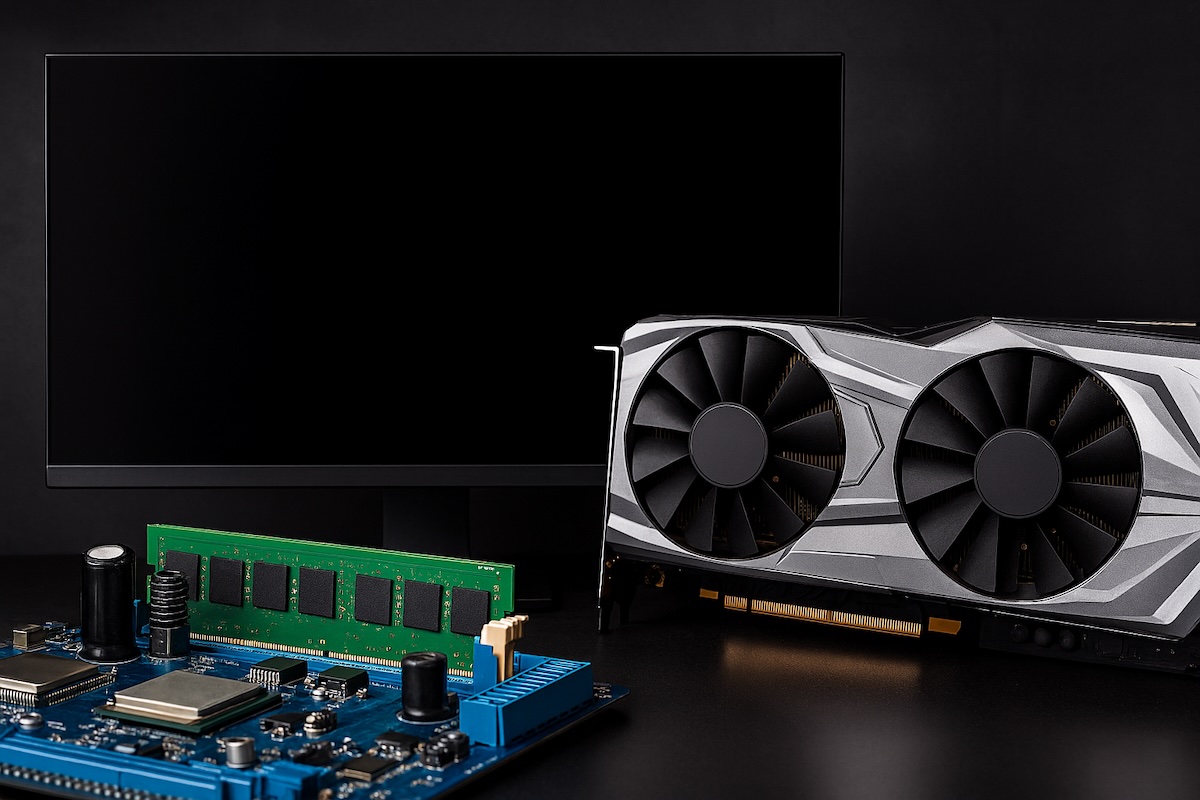
Building a gaming PC in 2025 requires careful consideration of components that can handle modern games at high settings while remaining viable for years to come. The landscape has evolved significantly with new GPU architectures, faster CPUs, and advanced cooling solutions. This comprehensive guide will walk you through everything you need to know to build a powerful gaming rig.
Graphics Card (GPU)
The graphics card remains the most critical component for gaming performance. In 2025, NVIDIA’s RTX 5000 series has revolutionized the market with substantial improvements in ray tracing, AI-driven upscaling, and raw rasterization performance.

The RTX 5000 series represents a generational leap forward with enhanced RT cores and Tensor cores that make real-time ray tracing more accessible across all price points. These cards leverage improved DLSS 4 technology, which uses AI to generate additional frames and boost performance without sacrificing visual quality. The architecture delivers better power efficiency compared to previous generations, meaning you get more performance per watt consumed.
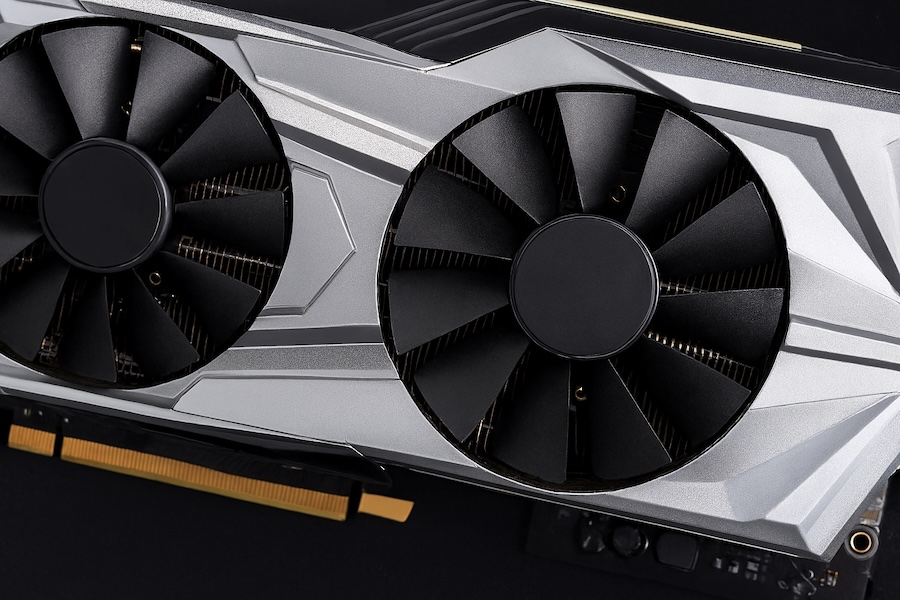
For different budget tiers, consider these options. The RTX 5090 sits at the absolute pinnacle of consumer graphics cards, offering uncompromising 4K gaming at maximum settings with ray tracing enabled. This card excels at 4K 120Hz+ gaming and handles demanding workloads like content creation and AI tasks. The RTX 5080 provides excellent 4K gaming performance at a more reasonable price point, striking a balance between high-end performance and value. For enthusiasts targeting 1440p ultra settings or 4K high settings, this card delivers exceptional results.
The RTX 5070 Ti represents the sweet spot for most gamers, offering superb 1440p performance and capable 4K gaming at adjusted settings. This card handles ray tracing well and provides excellent value for high-refresh-rate gaming. The RTX 5070 targets 1440p gaming at high frame rates and offers solid entry into ray tracing territory. It’s perfect for gamers who want modern features without breaking the bank.
AMD’s competing RDNA 4 architecture also deserves consideration, particularly the RX 8800 XT and RX 8700 XT, which offer competitive rasterization performance and aggressive pricing. AMD cards typically excel in traditional rendering but may lag slightly in ray tracing performance compared to NVIDIA’s offerings.
When selecting a GPU, consider VRAM capacity carefully. Modern games at high resolutions demand substantial video memory. For 4K gaming, aim for at least 16GB of VRAM, while 1440p gaming remains comfortable with 12GB. The days of 8GB being sufficient for high-end gaming are largely behind us as texture quality and complexity continue to increase.
Central Processing Unit (CPU)
While the GPU handles graphics rendering, the CPU manages game logic, physics calculations, AI behaviors, and feeds frames to your graphics card. In 2025, both AMD and Intel offer compelling options across various price points.
Intel’s 14th and 15th generation processors continue to dominate in pure gaming performance, particularly at lower resolutions where CPU bottlenecks are more apparent. The Core i9-14900K and i9-15900K offer exceptional gaming performance with high core counts that also benefit productivity tasks. These processors feature a hybrid architecture with performance and efficiency cores, delivering strong single-threaded performance crucial for gaming.
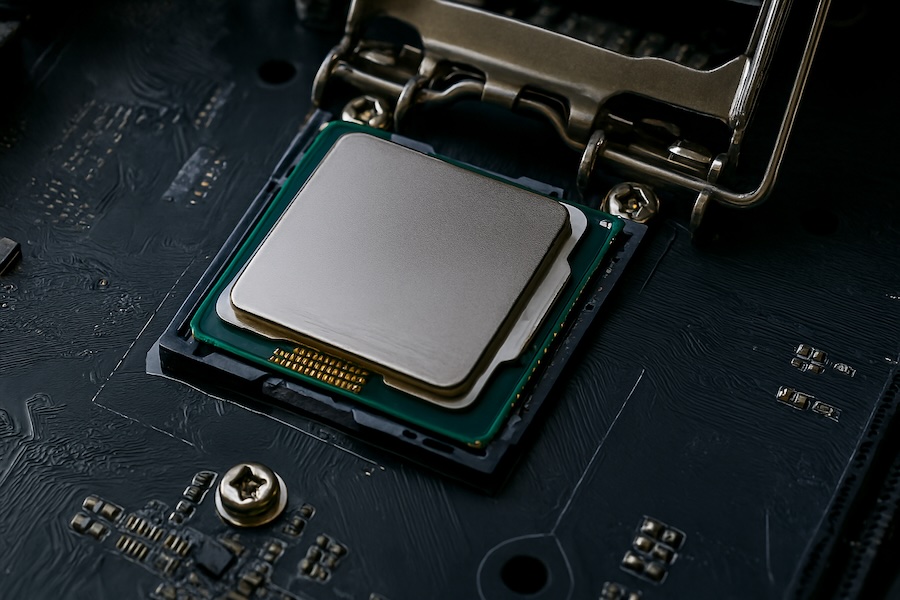

For most gamers, the Intel Core i7-14700K or i7-15700K provides an excellent balance of gaming performance and multitasking capability. These chips offer nearly identical gaming performance to their i9 counterparts at a lower price point. The Core i5-14600K and i5-15600K remain fantastic options for budget-conscious builders, delivering solid gaming performance that won’t bottleneck mid-range to high-end GPUs.
AMD’s Ryzen 7000 and 9000 series processors, built on Zen 4 and Zen 5 architectures respectively, offer excellent multi-threaded performance and competitive gaming capabilities. The Ryzen 9 7950X3D and 9950X3D feature 3D V-Cache technology, which dramatically improves gaming performance by providing massive amounts of L3 cache. These processors often match or exceed Intel’s offerings in gaming while providing superior productivity performance.
The Ryzen 7 7800X3D has become legendary in the gaming community for its exceptional gaming performance at a reasonable price. The newer Ryzen 7 9800X3D continues this tradition with improved clock speeds and efficiency. For budget builds, the Ryzen 5 7600X or 9600X delivers impressive gaming performance that punches above its price class.
Consider future upgrade paths when selecting your CPU. AMD’s AM5 platform promises support through 2027, offering longer-term upgradeability. Intel’s LGA1700 and newer LGA1851 sockets also provide some upgrade flexibility within their respective generations.
Motherboard
The motherboard serves as the foundation connecting all your components. Choosing the right one ensures compatibility, provides adequate power delivery, and offers expansion options for future upgrades.
For Intel builds, Z790 and Z890 chipsets offer full feature sets with overclocking support, multiple M.2 slots, and extensive connectivity. These boards provide robust VRM designs essential for powering hungry CPUs under load. The B760 and B860 chipsets offer most features at lower prices, though they typically lack overclocking support and may have fewer expansion slots.

AMD builders should look at X670E and B650E chipsets for AM5 platforms. The X670E provides maximum PCIe 5.0 lanes for both GPU and storage, along with premium features like enhanced connectivity and overclocking support. B650E boards offer excellent value with PCIe 5.0 support for the primary M.2 slot and GPU, making them ideal for most gaming builds.
Key features to consider include VRM quality for stable power delivery, especially important if you plan to overclock. Look for boards with adequate heatsinks on the VRM and chipset. Multiple M.2 slots allow for fast NVMe storage expansion without sacrificing SATA ports. USB connectivity matters for peripherals, so ensure adequate USB-A and USB-C ports, including high-speed USB 3.2 Gen 2 or faster. Integrated WiFi 6E or WiFi 7 adds convenience if you can’t run ethernet cables. Audio quality has improved significantly, with mid-range and high-end boards featuring excellent integrated audio codecs.
Memory (RAM)
DDR5 has become the standard for new builds in 2025, offering significantly higher bandwidth than DDR4. For gaming, 32GB represents the sweet spot, providing ample headroom for games, background applications, and future requirements. Some games are beginning to recommend 32GB for optimal performance at maximum settings.
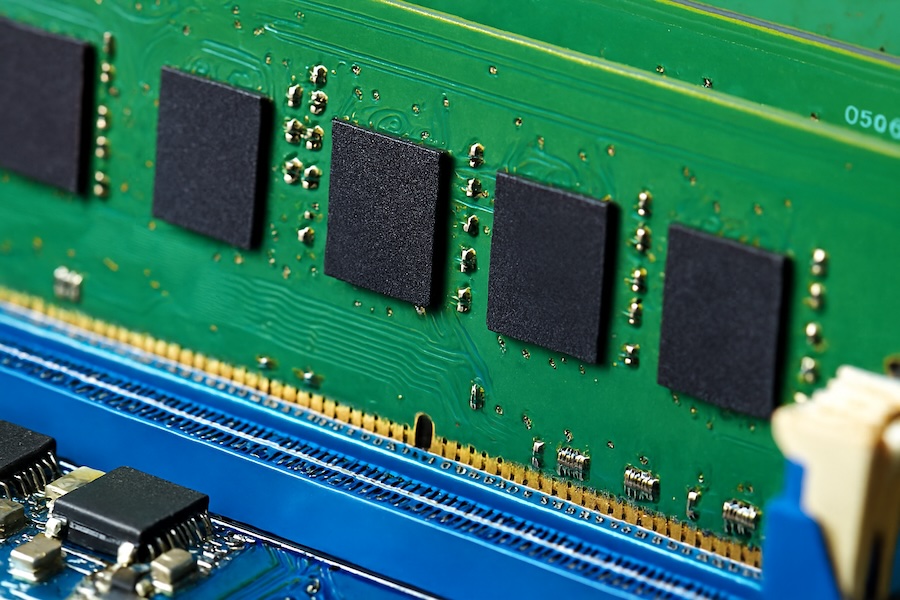
Speed and timings matter for gaming performance, particularly on AMD systems that benefit more from faster memory. For Intel 14th/15th gen systems, DDR5-6000 to DDR5-6400 CL30-32 offers excellent performance without excessive cost. AMD Ryzen 7000/9000 series systems benefit from DDR5-6000 CL30, which represents the sweet spot for Zen 4 and Zen 5 architectures’ Infinity Fabric.
Choose memory kits that are XMP 3.0 or EXPO certified for easy overclocking and stability. Ensure your motherboard’s QVL (Qualified Vendor List) includes your chosen memory kit for guaranteed compatibility. While RGB lighting looks attractive, prioritize performance specifications over aesthetics if budget is constrained.
Storage Solutions
Storage technology has advanced tremendously, with PCIe 4.0 and 5.0 NVMe SSDs offering incredible performance. Your storage configuration should balance speed, capacity, and cost.
For your primary drive hosting the operating system and frequently played games, a 1TB or 2TB PCIe 4.0 NVMe SSD provides excellent performance at reasonable prices. PCIe 5.0 drives offer higher sequential speeds but show minimal real-world gaming performance improvements over quality PCIe 4.0 drives while costing significantly more.
Consider a two-tier storage approach: a fast NVMe SSD for OS and active games, plus a larger capacity SATA SSD or even a high-capacity HDD for game storage and media. Modern games can easily exceed 100GB each, so budget for adequate total storage. A 2TB primary SSD plus a 4TB secondary drive provides excellent flexibility.
DirectStorage API in Windows 11 allows games to load assets directly to the GPU, bypassing CPU decompression. This technology benefits from fast NVMe storage, making it worthwhile to install demanding games on your fastest drive.
Cooling Solutions
Adequate cooling ensures your components maintain peak performance and longevity. Both air and liquid cooling solutions have their merits in 2025.
High-end air coolers have become incredibly effective, with dual-tower designs like the Noctua NH-D15 G2 and DeepCool Assassin IV offering performance rivaling many 280mm AIO liquid coolers. Air coolers provide reliability with no pump failure risks, lower maintenance, and quieter operation at idle. They’re excellent for CPUs with TDPs up to 200-250W.
All-in-One liquid coolers offer superior cooling for high-end CPUs, particularly useful for sustained heavy workloads. A 280mm or 360mm AIO can handle even the most power-hungry processors while maintaining lower temperatures. Modern AIOs feature improved pump designs, better tubing materials, and enhanced reliability.
For GPU cooling, most modern graphics cards feature excellent stock coolers. However, case airflow remains critical. Ensure your case has adequate intake and exhaust fans to maintain positive or neutral air pressure and prevent heat buildup.
Power Supply Unit (PSU)
The PSU deserves careful consideration as it powers every component. In 2025, power requirements have increased with high-end GPUs drawing substantial wattage.
For an RTX 5090 system, consider 1000-1200W PSUs to provide adequate headroom. RTX 5080 builds work well with 850-1000W units. RTX 5070 Ti and RTX 5070 systems typically require 750-850W PSUs. Always choose 80 Plus Gold rated or higher for efficiency and reduced heat output. Modular or semi-modular designs simplify cable management and improve airflow.
Look for PSUs with ATX 3.0 and PCIe 5.0 specifications, which include the newer 12VHPWR connector for modern GPUs. These power supplies better handle the transient power spikes common with current-generation graphics cards.
Computer Case
Your case houses everything and affects cooling performance, noise levels, and aesthetics. Modern cases emphasize airflow, with mesh front panels becoming standard for gaming builds.
Choose a case that accommodates your GPU length, CPU cooler height, and radiator size if using an AIO. Mid-tower cases offer the best balance of compatibility and size for most builds. Ensure adequate fan mounting locations for optimal airflow. Cable management features like rubber grommets, cable tie-down points, and PSU shrouds help create a clean build and improve airflow.
Display
Your monitor significantly impacts gaming experience and should match your GPU’s capabilities.
For RTX 5090 and 5080 owners, 4K 144Hz+ monitors with HDR support provide stunning visuals. Look for IPS or OLED panels with DisplayPort 2.1 or HDMI 2.1 connectivity. G-Sync Ultimate certification ensures optimal variable refresh rate performance with minimal input lag.
RTX 5070 Ti and 5070 users should consider 1440p displays at 165Hz or higher. This resolution sweet spot offers crisp visuals without the performance demands of 4K. QHD monitors with IPS panels provide excellent color accuracy and viewing angles.
Panel technology matters significantly. IPS panels offer superior color accuracy and viewing angles. VA panels provide deeper blacks and higher contrast ratios. OLED displays deliver perfect blacks and instantaneous response times but cost more and may have burn-in concerns with static UI elements.
Response time should be 1ms or lower for competitive gaming. Higher refresh rates reduce motion blur and provide smoother gameplay. HDR support enhances visual quality in supported games, though budget displays often implement HDR poorly.
Peripherals
Quality peripherals enhance your gaming experience and deserve thoughtful selection.
Gaming mice have evolved with lightweight designs, high-DPI sensors, and wireless technology matching wired latency. Consider ergonomics based on your grip style. Palm grip suits larger mice, claw grip works with medium-sized mice, and fingertip grip prefers smaller, lighter mice. Optical sensors from manufacturers like PixArt offer flawless tracking. Wireless mice from Logitech, Razer, and others now provide latency indistinguishable from wired connections.
Mechanical keyboards remain the gold standard for gaming and typing. Cherry MX switches and their competitors offer various actuation forces and feedback types. Linear switches provide smooth keystrokes without tactile bumps. Tactile switches offer noticeable bumps without audible clicks. Clicky switches provide both tactile and audible feedback. Hot-swappable keyboards allow switch replacement without soldering, enabling customization and easy repairs.
Headsets or dedicated headphone setups provide crucial audio feedback in games. Stereo headphones often provide better positional audio than marketing-heavy surround sound headsets. Consider open-back designs for competitive gaming where soundstage matters, or closed-back for noise isolation. A separate microphone often provides better voice quality than integrated headset microphones.
Operating System
Windows 11 remains the primary operating system for gaming in 2025, offering the best game compatibility and driver support. DirectX 12 Ultimate provides access to cutting-edge graphics features. DirectStorage reduces loading times in supported games. Auto HDR enhances older games with HDR displays.
Windows 11 Pro offers additional features like BitLocker encryption and enhanced virtualization support, though Home edition suffices for most gaming needs.
Linux gaming has improved significantly through Proton and Steam Deck development, but Windows still offers superior compatibility and performance in most titles.
Budget Considerations
Building a gaming PC requires balancing performance desires with financial reality. Consider these tier guidelines:
High-end enthusiast builds ranging from $3000-$5000+ feature RTX 5090 or 5080 GPUs, Intel i9 or AMD Ryzen 9 X3D CPUs, 32-64GB DDR5 RAM, and 4K 144Hz displays with all premium components.
Mid-range performance builds from $1500-$3000 include RTX 5070 Ti or 5070 GPUs, Intel i7 or AMD Ryzen 7 CPUs, 32GB DDR5 RAM, and 1440p 165Hz displays that handle modern games excellently.
Budget-conscious builds from $800-$1500 feature RTX 5060 Ti (when available) or previous-gen GPUs, Intel i5 or AMD Ryzen 5 CPUs, 16-32GB RAM, and 1080p 144Hz displays that provide solid gaming performance.
Future Proofing
True future-proofing proves impossible, but smart choices extend your system’s viability. Prioritize GPU investment since graphics cards see the most significant performance gains between generations. Choose motherboards with upgrade paths, particularly AMD’s AM5 platform promising support through 2027. Install adequate PSU wattage for future GPU upgrades. Select cases accommodating larger components. Buy quality peripherals that outlast multiple system rebuilds.
Consider the upgrade cycle. Planning to upgrade your GPU every 2-3 generations provides better value than buying the absolute highest-end card. A strong CPU can last 4-6 years before becoming a bottleneck in gaming. Quality PSUs and cases can serve you for a decade or more.
Gaming PC Requirements 2025 – Quick Table
| Component | Budget Build $800-$1500 | Mid-Range Build $1500-$3000 | High-End Build $3000-$5000+ |
|---|---|---|---|
| GPU | RTX 5060 Ti / RTX 4070 RX 8700 XT | RTX 5070 / 5070 Ti RX 8800 XT | RTX 5080 / 5090 |
| CPU | Intel i5-14600K / i5-15600K AMD Ryzen 5 7600X / 9600X | Intel i7-14700K / i7-15700K AMD Ryzen 7 7800X3D / 9800X3D | Intel i9-14900K / i9-15900K AMD Ryzen 9 7950X3D / 9950X3D |
| Motherboard | Intel: B760 / B860 AMD: B650 / B650E | Intel: Z790 / Z890 AMD: B650E / X670E | Intel: Z790 / Z890 (Premium) AMD: X670E (Premium) |
| RAM | 16-32GB DDR5-5600 CL36 | 32GB DDR5-6000 CL30-32 | 32-64GB DDR5-6400+ CL30-32 |
| Storage | 1TB PCIe 4.0 NVMe + 1TB SATA SSD | 2TB PCIe 4.0 NVMe + 2TB SATA SSD | 2TB PCIe 5.0 NVMe + 4TB PCIe 4.0 NVMe |
| PSU | 650-750W 80+ Gold Modular | 750-850W 80+ Gold/Platinum Modular | 1000-1200W 80+ Platinum/Titanium Modular |
| Cooling | Quality Air Cooler (Noctua NH-U12S, DeepCool AK400) | High-End Air or 240-280mm AIO (Noctua NH-D15, Arctic Liquid Freezer) | Premium 280-360mm AIO (Corsair H150i, NZXT Kraken) |
| Case | Mesh Front Mid-Tower Good Airflow | Premium Mid-Tower Excellent Cable Management | Premium Full/Mid-Tower Tempered Glass, RGB |
| Display | 1080p 144Hz IPS or 1440p 144Hz VA | 1440p 165-180Hz IPS G-Sync Compatible | 4K 144Hz+ IPS/OLED G-Sync Ultimate, HDR |
| Keyboard | Mechanical (Keychron, RK, Redragon) | Premium Mechanical (Logitech, Corsair, Ducky) | High-End Custom (Wooting, Keychron Q-Series) |
| Mouse | Quality Gaming Mouse (Logitech G305, Razer Viper Mini) | Premium Wireless (Logitech G Pro, Razer DeathAdder V3) | Top-Tier Wireless (Logitech G Pro X Superlight 2) |
| Headset/Audio | Quality Stereo Headset (HyperX Cloud, SteelSeries Arctis) | Premium Wireless Headset or Stereo Headphones + Mic | Audiophile Headphones + Dedicated Mic |
| OS | Windows 11 Home (64-bit) – Best gaming compatibility | ||
Key Notes:
- RTX 5000 Series offers improved ray tracing, DLSS 4, and better power efficiency
- VRAM Requirements: 12GB minimum for 1440p, 16GB+ for 4K gaming
- DDR5 is standard – DDR4 only for older platforms
- Ensure PSU has ATX 3.0 / PCIe 5.0 support for new GPUs
- Future-proofing: AMD AM5 platform supported through 2027
- All prices in USD and approximate as of September 2025
Conclusion
Building a gaming PC in 2025 offers exciting possibilities with powerful components like the RTX 5000 series leading the charge. Focus on balanced component selection rather than maxing out any single part. Ensure your GPU matches your display resolution and refresh rate targets. Invest in quality cooling and power delivery. Choose components with reasonable upgrade paths. Prioritize reliability in critical components like the PSU.
Your specific needs, preferred games, target resolution, and budget will ultimately determine the perfect configuration. Research thoroughly, watch reviews, and don’t hesitate to ask communities for advice before finalizing purchases. A well-planned build will provide years of excellent gaming experiences.