
A non-working touchpad can make using your laptop frustrating, especially if you do not have an external mouse available. Problems such as an unresponsive ...
 Geeksdigit Team
A keyboard that types the wrong characters can be frustrating, especially when you're trying to work, study, or communicate. You might press one key and see a ...
A touchscreen makes operating a printer much easier by allowing you to access settings, start print jobs, scan documents, connect to Wi-Fi, and perform ...
Accidentally deleting an administrator account in Windows 11 can leave you unable to install applications, change system settings, manage user accounts, or ...
The Devices and Printers window has been a part of Windows for many years, allowing users to manage connected hardware such as printers, scanners, Bluetooth ...
Printers that are no longer in use can leave behind drivers, print queues, registry entries, and software components even after they're removed from Windows. ...
Solid State Drives (SSDs) have become the default storage option in modern computers because they are significantly faster than traditional Hard Disk Drives ...
Accidentally deleting important files is a common problem, whether it's due to pressing the Delete key, emptying the Recycle Bin, formatting a drive, or ...
File system errors can prevent Windows from reading, writing, or organizing data correctly on your storage drive. These errors may occur after an unexpected ...
Over time, storage drives can develop file system errors, bad sectors, and other issues that may affect your computer's performance and reliability. These ...
The GUID Partition Table (GPT) is the modern partition style used by most Windows 11 and Windows 10 computers. It supports UEFI firmware, Secure Boot, drives ...
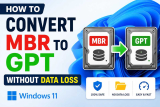
If you've recently tried to upgrade to Windows 11 or install it fresh on an older PC, you may have run into a roadblock: Windows 11 requires your system disk ...
- « Previous Page
- 1
- …
- 16
- 17
- 18
- 19
- 20
- …
- 105
- Next Page »
