You bought a 165Hz gaming monitor, plugged it in, and opened Windows display settings, only to find the refresh rate stuck at 60Hz or 144Hz. It's one of the ...
 Geeksdigit Team
Deleting files, emptying the Recycle Bin, or even running a quick format does not remove your data. Those actions mostly erase the index that tells the drive ...

You press the power button, and instead of Windows 11 loading within seconds, your PC sits on a black screen or the manufacturer logo for 30 seconds, a ...
You've built or upgraded your PC, booted from your Windows 11 USB drive, and reached the "Where do you want to install Windows?" screen. But the list is ...
Few things are more frustrating than a Windows 11 PC that suddenly freezes and drops to a blue screen reading DPC_WATCHDOG_VIOLATION. The error can appear ...
You sit down at your PC, wake it from sleep, and start typing. Nothing happens. The mouse moves, the screen is on, and Windows seems fine, but the keyboard is ...
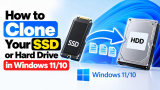
Whether you're upgrading a sluggish hard drive to a faster SSD, replacing a drive that's running out of space, or simply want a full backup you can boot from ...
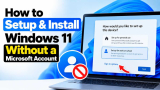
Windows 11's setup process, or Out-of-Box Experience (OOBE), pushes you hard toward signing in with a Microsoft account. For many users, that's not what they ...
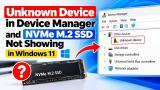
Few things are more frustrating for a PC builder or upgrader than installing a brand-new NVMe M.2 SSD, booting into Windows 11, and finding that the drive ...
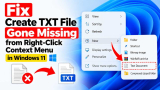
If you've right-clicked your desktop or a folder in Windows 11, hovered over New, and noticed the Text Document option has vanished, you're not alone. This is ...
If you've ever hit the Windows key, started typing to find a local file, and instead got a page full of Bing search results, you're not alone. Windows 10 and ...
Serial communication may feel like a relic of the pre-USB era, but COM ports are still everywhere. Arduino boards, industrial controllers, barcode scanners, ...
- « Previous Page
- 1
- 2
- 3
- 4
- 5
- …
- 105
- Next Page »
