If you've ever tried to install the Windows Subsystem for Linux (WSL2), run Android apps through the Windows Subsystem for Android, or set up a virtual ...
 Sukhdev Kamboj
A Windows 11 update is supposed to make your PC better — faster, safer, more stable. But sometimes it does the opposite. A driver stops working, an app ...
If you use OneDrive to collaborate with coworkers, classmates, or family members, you probably rely on shared folders to keep everyone working from the same ...
Connecting a wireless printer to your Wi-Fi network doesn't always require manually entering the network password. Many modern printers support Wi-Fi ...
 Olivia Harper
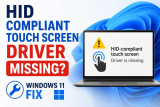
If you've recently updated to Windows 11, reinstalled your operating system, or rolled back a driver update, you may have noticed that your laptop or ...
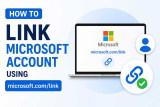
If you've ever set up an Xbox console, signed into Microsoft Teams on a new laptop, added your Microsoft account to the Authenticator app, or activated Office ...
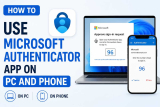
In an age where data breaches and password leaks make headlines almost every week, relying on a simple password to protect your online accounts is no longer ...

Microsoft has been steadily pushing users from the classic desktop Outlook client toward the "New Outlook" app — a lighter, web-based version built on the ...

If you've recently upgraded to Windows 11 and gone looking for Internet Explorer in your Start menu, you've probably come up empty-handed — and that's not a ...
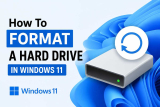
Formatting a hard drive or solid-state drive (SSD) is an essential task that every Windows 11 user may need to perform at some point. Whether you are setting ...
If you have used Windows for any length of time, you have probably heard of "Folder Options." In older versions of Windows, this small but powerful settings ...
If you've ever watched your C drive fill up while your D drive sits mostly empty, you already know the frustration. Windows 11 installs on the C drive by ...
- « Previous Page
- 1
- 2
- 3
- 4
- 5
- 6
- …
- 22
- Next Page »
