If you've recently worked on a document, spreadsheet, presentation, image, or any other file but can't remember where it's saved, Windows makes it easy to ...
 Sukhdev Kamboj
Windows 11 is designed to support users from all around the world. One of the most useful features in the operating system is the ability to change your ...
 Olivia Harper
Network adapters are the unsung heroes of every Windows 11 PC. Whether you connect through a Wi-Fi card or a wired Ethernet port, these adapters are what let ...
Windows Subsystem for Linux (WSL) has become one of the most popular tools for developers who want to run a genuine Linux environment alongside Windows ...
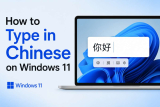
Windows 11 comes with strong built-in support for typing Chinese, whether you're a student learning Mandarin, a professional communicating with ...

Windows Subsystem for Linux (WSL) lets you run a full Linux environment directly on your Windows 11 PC — no dual boot, no separate virtual machine, no hassle. ...
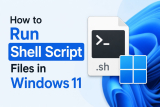
Shell scripts, saved with the .sh extension, are one of the most common ways developers automate tasks on Linux and macOS. But if you're a Windows 11 user, ...
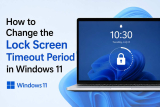
Windows 11 introduces a sleek and modern user interface with improved security and personalization options. One of these features is the lock screen, which ...
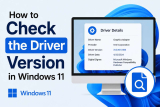
Drivers are the small but essential pieces of software that let Windows 11 talk to your hardware — your graphics card, network adapter, printer, sound card, ...
Ever had a game blasting your speakers while Discord whispers your friend's voice? Or a YouTube video drowning out a notification sound you actually needed to ...
Transferring files between your Android phone and Windows 11 PC no longer requires a USB cable or third-party apps. With Microsoft's Phone Link app, you can ...

Windows 11 is designed for users around the world, which means it supports hundreds of display and input languages. Whether you want to use Windows in your ...
- « Previous Page
- 1
- …
- 5
- 6
- 7
- 8
- 9
- …
- 22
- Next Page »
